
Ford Key Fob Troubleshooting: What to Check Before Replacing Your Key
You press the button on your Ford key fob and nothing happens. You press it again. Still nothing. Maybe the doors eventually unlock, but only when you're standing right beside the vehicle.
Before
assuming your key fob has completely failed, there are several things worth
checking.
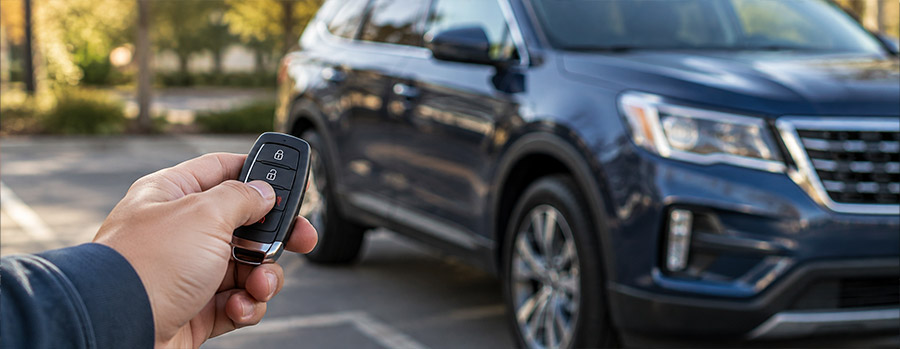
A Ford
key fob not working can be caused by something as simple as a depleted
battery, but similar symptoms can also come from physical damage, programming
issues, electronic interference, or a problem with the vehicle's key detection
system.
Knowing
the difference can save you from replacing a perfectly serviceable key—or
repeatedly changing batteries when something else is actually wrong.
First: Look at How the Fob Is Behaving
The
symptoms can provide useful clues.
For
example, a key fob that works from a shorter distance than usual may simply
have a weakening battery. A fob that has stopped working after being dropped
could have internal damage instead.
Common
key fob complaints include:
·
The vehicle doesn't respond consistently
·
Lock or unlock functions work intermittently
·
Remote start isn't activating
·
The trunk or liftgate button doesn't respond
·
You have to press a button several times
·
The operating range has noticeably decreased
·
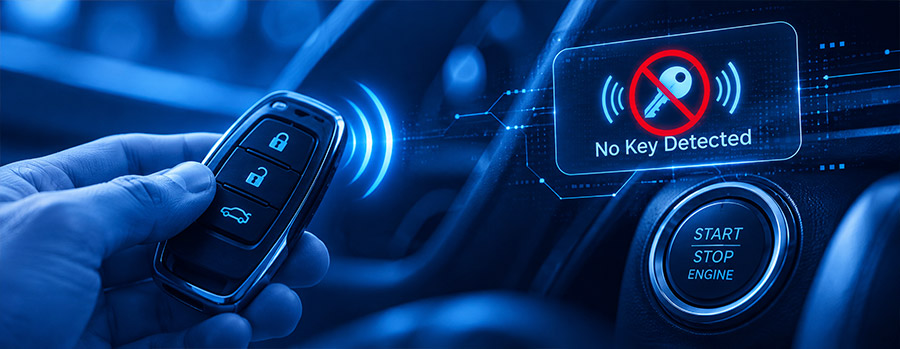
Your Ford displays "No Key Detected"
·
The fob has visible cracks, broken buttons, or moisture damage
These
symptoms don't necessarily point to one specific repair. That's why identifying
the circumstances surrounding the failure is an important first step.
A New Battery May Be All Your Fob Needs
Like any
small electronic device, a key fob relies on a battery to operate. Over time,
that battery becomes depleted.
One of
the first signs can be a noticeable reduction in range. If you once unlocked
your Ford from several parking spaces away but now have to stand next to the
driver's door, the battery may be getting weak.
A Ford
key fob battery replacement can often resolve this type of problem.
And
there's a common misconception worth clearing up: replacing a weak key fob
battery normally does not erase the fob's programming.
The
battery supplies power to the fob's electronics. Replacing it generally doesn't
remove the information that allows the vehicle to recognize the key. So if the
battery was the problem, you typically won't need to have the key programmed
again simply because you changed the battery.
When Is Programming Actually Necessary?
A
battery and programming perform two completely different jobs.
The
battery powers the key fob. Ford key fob programming establishes the
key's authorization and allows the vehicle to recognize that particular fob.
Programming
may be required when a replacement fob is added to a vehicle. The exact
requirements depend on the Ford model, model year, and key system. Some
vehicles may provide specific procedures for certain key functions, while
others require professional diagnostic equipment.
If
you've already replaced the battery and the fob still isn't working, don't
assume that programming is automatically the solution. The fob may have an
electronic fault, or the vehicle's keyless-entry system could be involved.
Your Ford Says "No Key Detected":
What Does It Mean?
A "No
Key Detected" message can appear on Ford vehicles equipped with
keyless or push-button-start systems when the vehicle isn't recognizing the
expected key.
The
message itself doesn't tell you exactly what's wrong.
1. The
Key Fob Battery May Be Low
A weak
battery can interfere with the fob's ability to communicate with the vehicle.
If you've also noticed reduced range or inconsistent button operation, a
battery replacement is worth considering.
2. The
Fob Could Be Damaged
A key
fob doesn't have to look completely broken to have an electronic problem. A
hard drop, water exposure, or repeated impact can damage components inside the
housing.
If a
fresh battery doesn't help and the fob has been physically damaged, the fob
itself may need to be inspected or replaced.
3. The
Vehicle May Not Be Detecting the Key Where Expected
Push-button-start
Ford models need to detect the authorized key in the appropriate location. If
the vehicle cannot detect it where expected, the warning may appear.
If your
vehicle provides a backup starting procedure for a weak or undetected key fob,
check your owner's manual for the instructions specific to your Ford.
4.
Electronic Interference Could Be Affecting Communication
The key
fob communicates electronically with the vehicle, and interference can
sometimes affect that communication.
If the
warning occurs unexpectedly, try moving the fob away from other electronic
devices and attempting the process again.
5. The
Vehicle Itself May Need Diagnosis
Not
every key detection problem originates with the key.
A
malfunction involving the vehicle's passive-start, keyless-entry, or related
electronic systems can also prevent the vehicle from recognizing an otherwise
functional fob.
If the
warning repeatedly returns after basic troubleshooting, professional diagnosis
can help determine whether the problem is with the fob or the vehicle.
When a Ford Key Replacement Makes Sense
Sometimes
the most practical solution really is a new key.
A Ford
key replacement may be necessary if the original has been lost, severely
damaged, or has developed an internal electronic failure.
Replacement
may be appropriate when:
·
The key fob buttons are broken
·
The housing is severely damaged
·
Moisture has damaged the electronics
·
A new battery doesn't restore operation
·
The vehicle continues to reject the fob after troubleshooting
·
The original key has been lost
Depending
on your Ford, replacement can involve both the physical key and electronic
components. A replacement fob may also need to be programmed to communicate
with your vehicle.
Don't Forget About Everyday Wear
Your key
fob probably gets more abuse than you realize.
It gets
tossed onto counters, carried in pockets, dropped in parking lots, and exposed
to rain and humidity. Over time, that wear can affect the buttons, casing, or
internal electronics.
Take a
quick look at your fob. Cracks, loose buttons, corrosion, or signs of moisture
can provide clues that the problem goes beyond a depleted battery.
If the
fob has been physically damaged, professional inspection can help determine
whether replacing the battery is worthwhile or whether the fob itself needs to
be replaced.
Professional Ford Key Fob Service in Tampa
When
your key fob stops working, guessing at the repair can be frustrating.
Replacing a key when all you needed was a battery isn't ideal, and repeatedly
replacing batteries won't solve an underlying electronic or vehicle-side
problem.
The
right fix depends on what's actually causing the failure.
At Bill
Currie Ford, our service team can help diagnose Ford key fob concerns,
including battery-related problems, programming questions, damaged fobs, and
persistent key detection issues.
Located
at 5815 N Dale Mabry Hwy, Tampa, FL 33614, Bill Currie Ford serves
drivers throughout Tampa and the surrounding area.
If
you're searching for Ford service near me, our team can help determine
what's happening with your key fob and recommend the appropriate next step.
Don't Let a Faulty Key Fob Become a Bigger
Headache
A
malfunctioning Ford key fob doesn't automatically mean it's time for a
replacement. A weak battery is a common culprit, and replacing it generally
won't erase the fob's existing programming.
If the
problem continues, however, the cause could be a damaged fob, electronic
interference, programming requirement, or an issue with the vehicle's
keyless-entry or starting system.
Likewise,
a "No Key Detected" warning can have several causes, so replacing the
key without diagnosing the problem may not solve it.
For Ford key fob service, Ford key fob battery replacement, programming assistance, or Ford key replacement in Tampa, turn to Bill Currie Ford. Our team can help identify the underlying problem and get you on the right path to a working key fob.